Empowering You to Navigate Visas Independently
Autofill travel documents on the government site
Get it right the first time and never type it twice.
 Add to Chrome
Ready to get started
visayes helper will take you directly to the official government site and go to your travel documents.
 visayes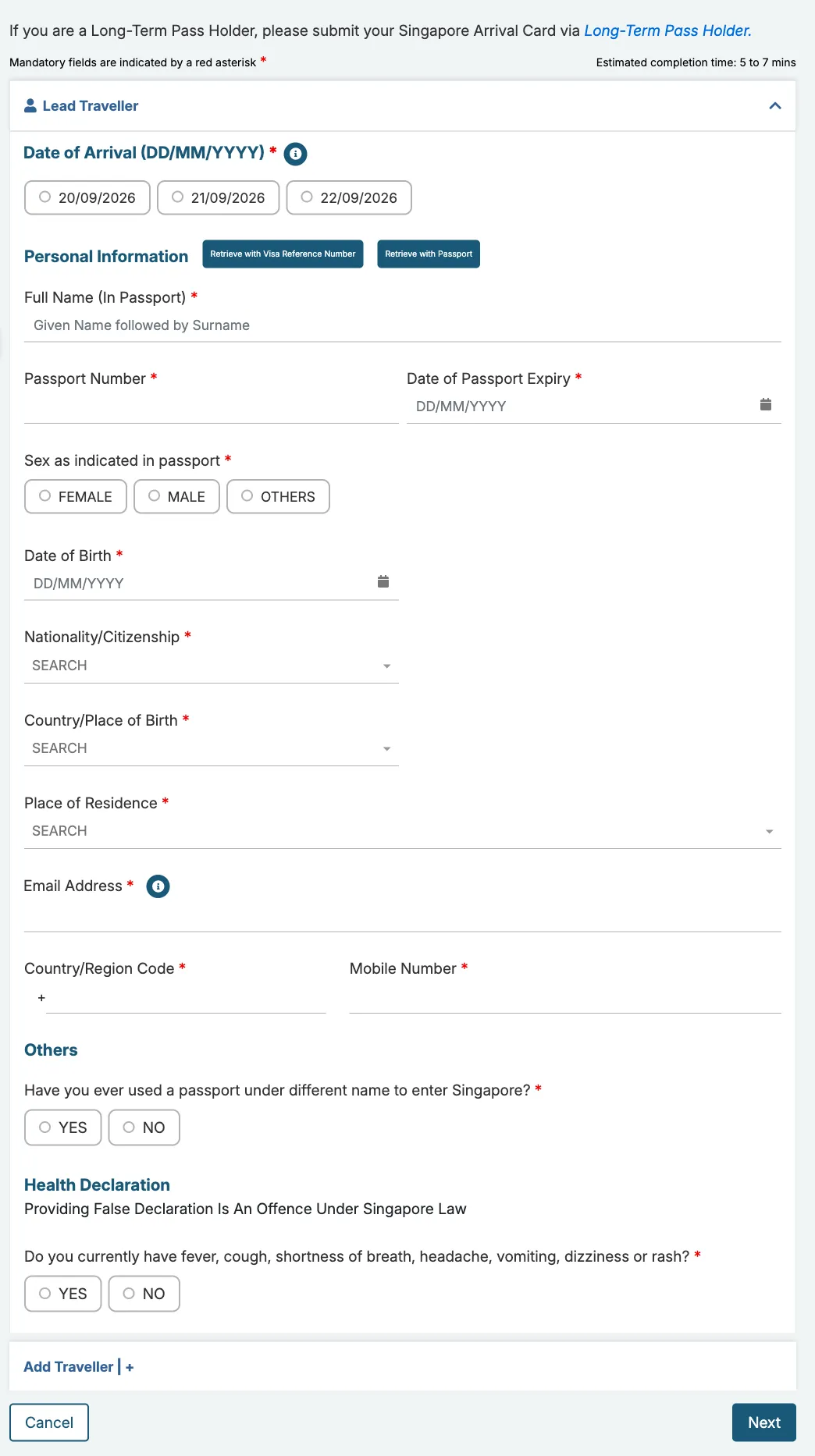
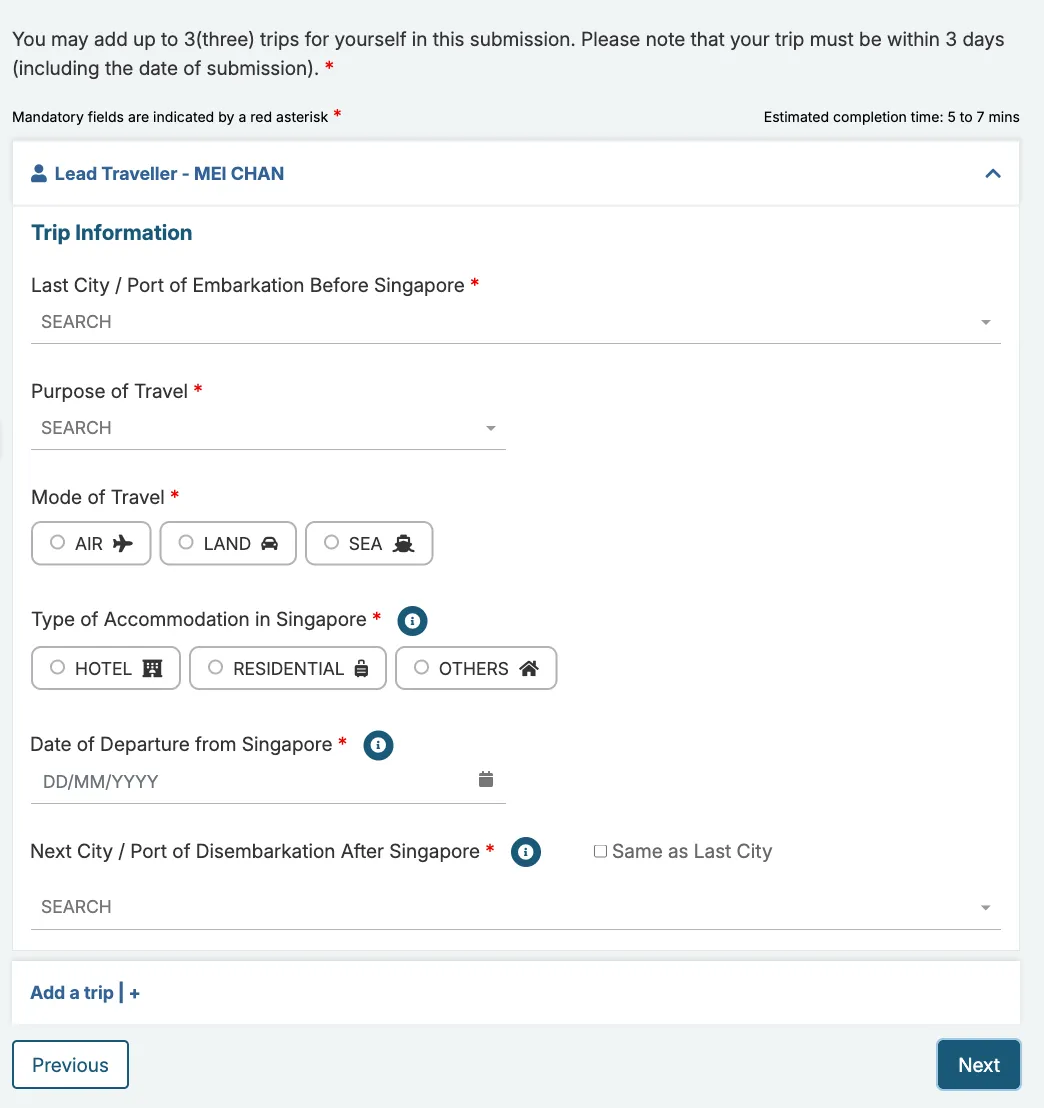
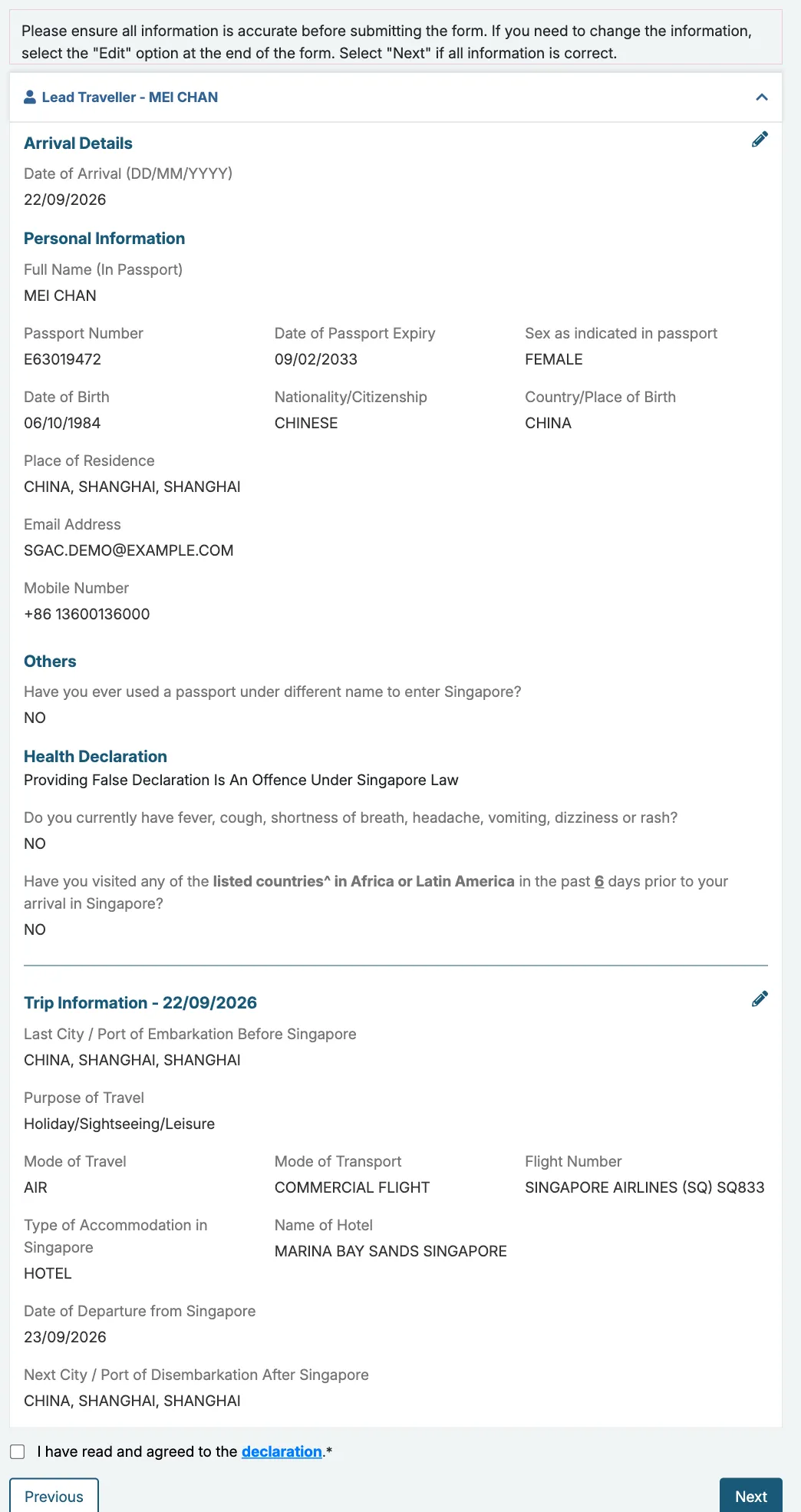
No more filling in the forms by hand.No more struggling with endless forms.No more entering the same details twice.No more typing the same form for every traveler.
| What you get | Free | Premium |
|---|---|---|
| Travelers per card | 1 | Up to 10* |
| Syncs to visayes helper | Once per country, for one traveler** | As often as you like for a year |
| Countries | Every country visayes supports | Every country visayes supports |
| Included in both | ||
| Fill in and check your answers on visayes | Included | Included |
| Field explanations | Included | Included |
| Passport scan | Included | Included |
| Drafts | Included | Included |
| Details kept on your device | Included | Included |
| visayes helper fills in the official site | Included | Included |
| You submit yourself | Included | Included |
| Visa rules for your passport | Included | Included |
| Official entry rules, with sources | Included | Included |
| Step-by-step guides to each official form | Included | Included |
*Korea e-Arrival Card: up to 9 travelers.
**Your first one-traveler form per country is free. visayes Premium fills in your whole group in one go.
Premium is one payment for one year.
Ask within 7 days of the day you paid and unused Premium is refunded in full. If a country your Premium covers cannot be used normally with visayes, you can ask for a full refund. The details are in our Payment Terms.
Different sites. Same details.







Your Privacy Is Always in Your Hands
You always maintain absolute control.
Experience total transparency all the way.
Your sensitive data never leaves your device.
FAQs
Got any questions? Email support@visayesapp.com
What can I do on this website?
You can access comprehensive visa information and seamlessly complete your official government entry form using our smart “visayes helper”.
Is it free?
Checking visa policies and preparing your details is free, always. Your first one-traveler form per country is free. visayes Premium fills in your whole group in one go. Your free sync is used up only once the official government site confirms it has your submission. See what Premium costs.
Is my passport information safe?
Your passport details are encrypted on your device and never stored on our servers and we have no way to read them. Scanning your passport is optional and you can always type the details in instead. If you do scan, the upload is encrypted. The photo you scan passes through in memory for text recognition, and is then discarded. Your passport and travel details are saved only in your browser, so we cannot read those either. You can wipe everything anytime.
Do you submit the form for me?
No. The browser extension auto-fills every field under your supervision. You check each one and click Submit yourself, so you stay in charge the whole way.
Which travel documents can I handle here?
Now you can check visa policies for 197 countries and territories worldwide. Auto-fill support covers Singapore’s SGAC, Malaysia’s MDAC, Thailand’s TDAC, South Korea’s K-EAC, Vietnam’s VPAD, and Indonesia’s AIAC. Most travel documents a government lets you complete yourself will be added over time.